
FansBuy works on a prepaid balance model: instead of paying for each order individually at checkout, you first top up your account, then draw from that balance to cover product costs, shipping, and value-added services. Because FansBuy is a shopping agent that pays Chinese sellers on your behalf, keeping a balance ready means your orders can be placed quickly without waiting on a fresh payment to clear each time. This article walks through how to top up across the multiple payment channels FansBuy supports.
How to top up, step by step
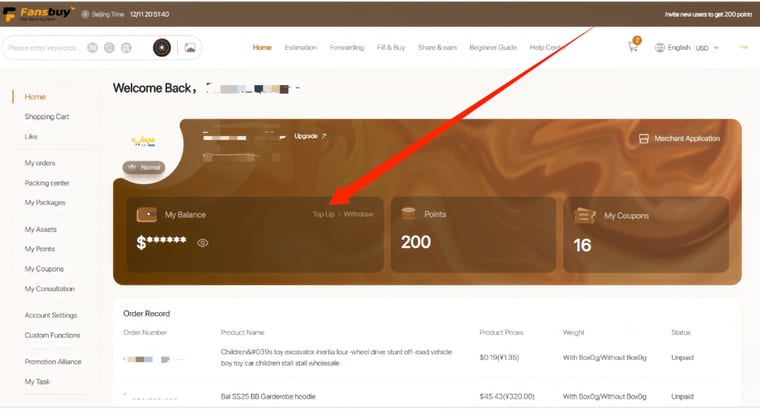
- 1. Open the top-up page. Log in to your account and go to Personal Center > Top-up.
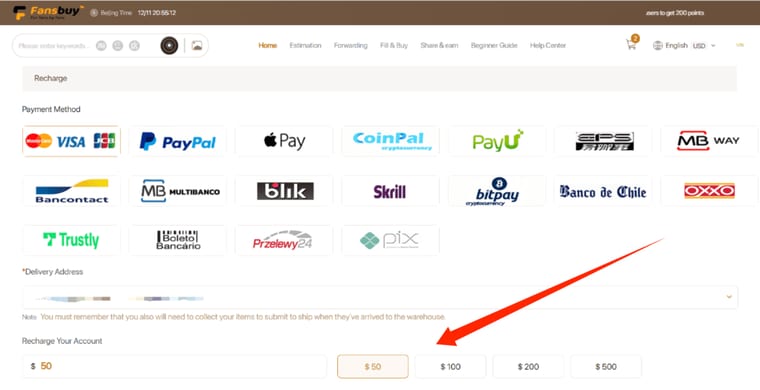
- 2. Enter an amount. Type the amount you want to add and click Confirm. As a practical rule, top up a little more than the product price so there is enough balance left to also cover shipping and any handling fees once your order is ready.
- 3. Choose a payment method. Select your preferred channel from the options shown, then click Top Up and complete the payment on the channel's page.
Choosing among the payment channels
FansBuy offers a wide range of payment options so shoppers in different regions can pay in a familiar way. These typically include international cards (Visa, Mastercard, JCB), PayPal, digital wallets such as Apple Pay and Google Pay, and many local methods depending on your country. Because availability, currency conversion, and any channel handling fee differ between methods, the live list and the exact cost for your chosen channel are always shown on the top-up page at the moment you pay. Confirm those details in-app before completing the transaction.
- Currency: some channels convert your payment into a base currency (for example USD) using the current exchange rate, so the debited amount on your card may differ slightly from the round figure you entered.
- Fees: certain channels add a percentage or fixed handling fee charged by the payment processor, not by FansBuy. Check the amount shown before confirming.
- Address match: for card and PayPal payments, keep the billing details consistent with the information FansBuy expects, as mismatches are a common reason a payment is declined.
When will the balance appear?
Most electronic payments credit your FansBuy balance quickly, but bank processing can add a delay, so it may take a few business days for the funds to show up rather than being instant. Timing depends on the channel and your bank, and weekends or public holidays can extend it. You can always check the current status in your account, and if the balance has not appeared well beyond the expected window, contact customer service with your transaction reference so they can trace the payment.
Withdrawing an unused balance
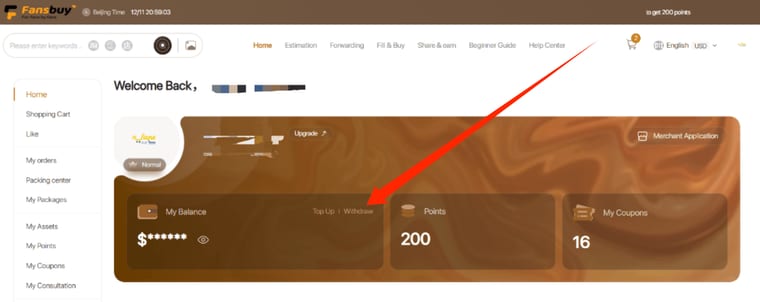
If you top up more than you end up spending, you can request the leftover balance back. Go to the Personal Center and click Withdraw, and the finance team will process the request within a few business days. Keep in mind that fees charged by a payment channel at top-up time are collected by that channel and are generally not returned on withdrawal, so it is smarter to top up amounts close to what you actually plan to spend, and to save your payment or order reference until the balance has landed in case support needs it.
Reference copy; rules and fees may have changed. Check the current official help.